
Cabinet audit and remediation
Tested existing runs, removed obsolete patching and retired old network devices so the active connections could be understood and supported.
IT projects and consultingA new customer had moved into a large open-plan office and needed the network made ready for a 2Gb internet service. BITS Melbourne cleaned up the inherited communications cabinet, installed a new gateway, managed switch and two access points, then tested, tuned and documented the completed environment.
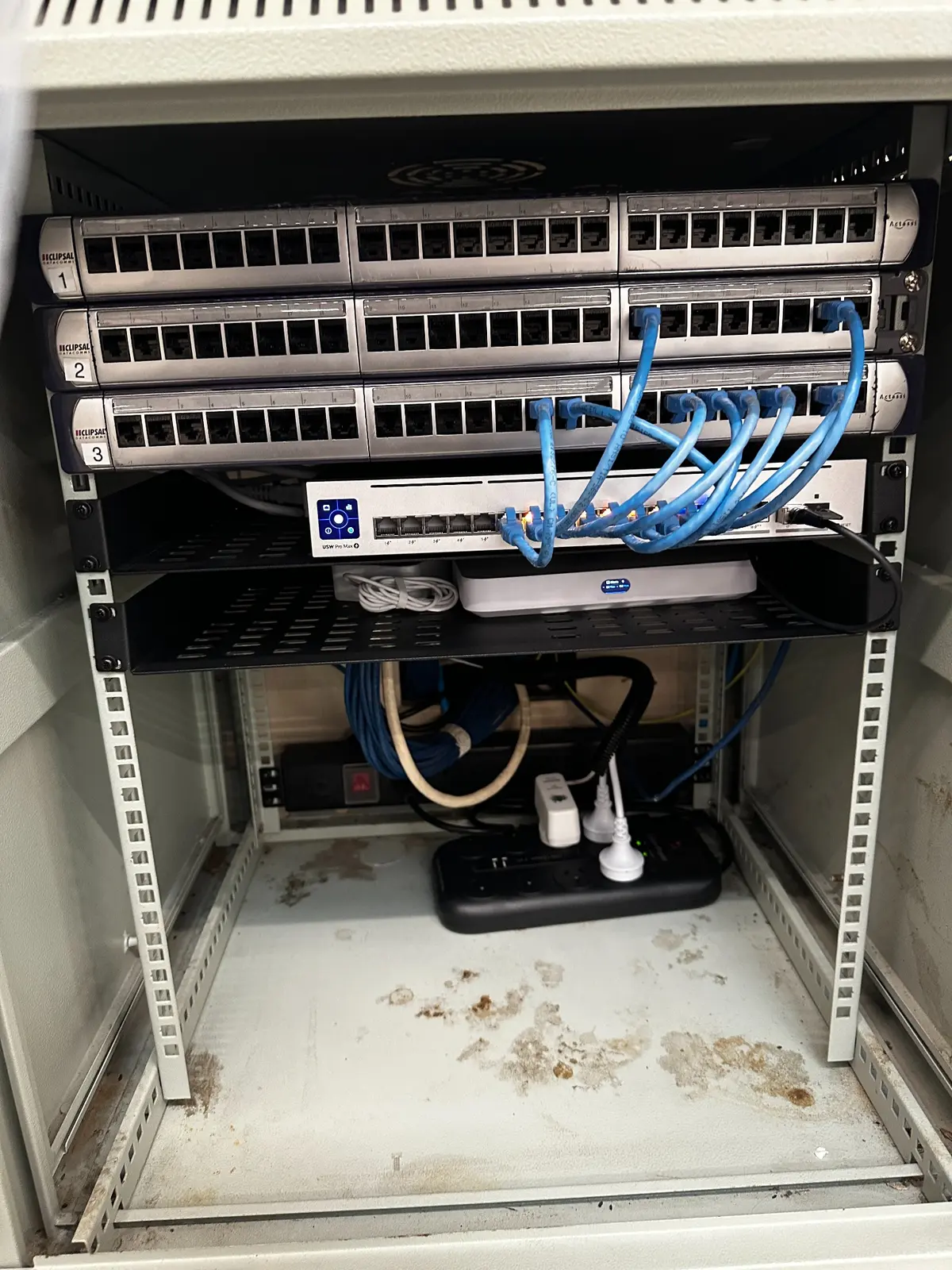
Moving into an existing office often means inheriting cabling and equipment without knowing what is active, what is obsolete or how the building was previously configured.
In this Fitzroy office, old switches, loose patch leads and disconnected equipment remained in and around the communications cabinet. The new customer also needed guidance choosing an internet service suitable for the office and hardware that would not restrict the new 2Gb connection.
The open layout created a separate wireless challenge. Large spaces can look simple, but neighbouring networks, building materials, ceiling height, work areas and the placement of connected devices all affect the result. The project therefore needed to address the wired network, Wi-Fi coverage, interference, security and ongoing support as one coordinated system.
Real photographs from the inherited cabinet and the completed multi-gig network installation.
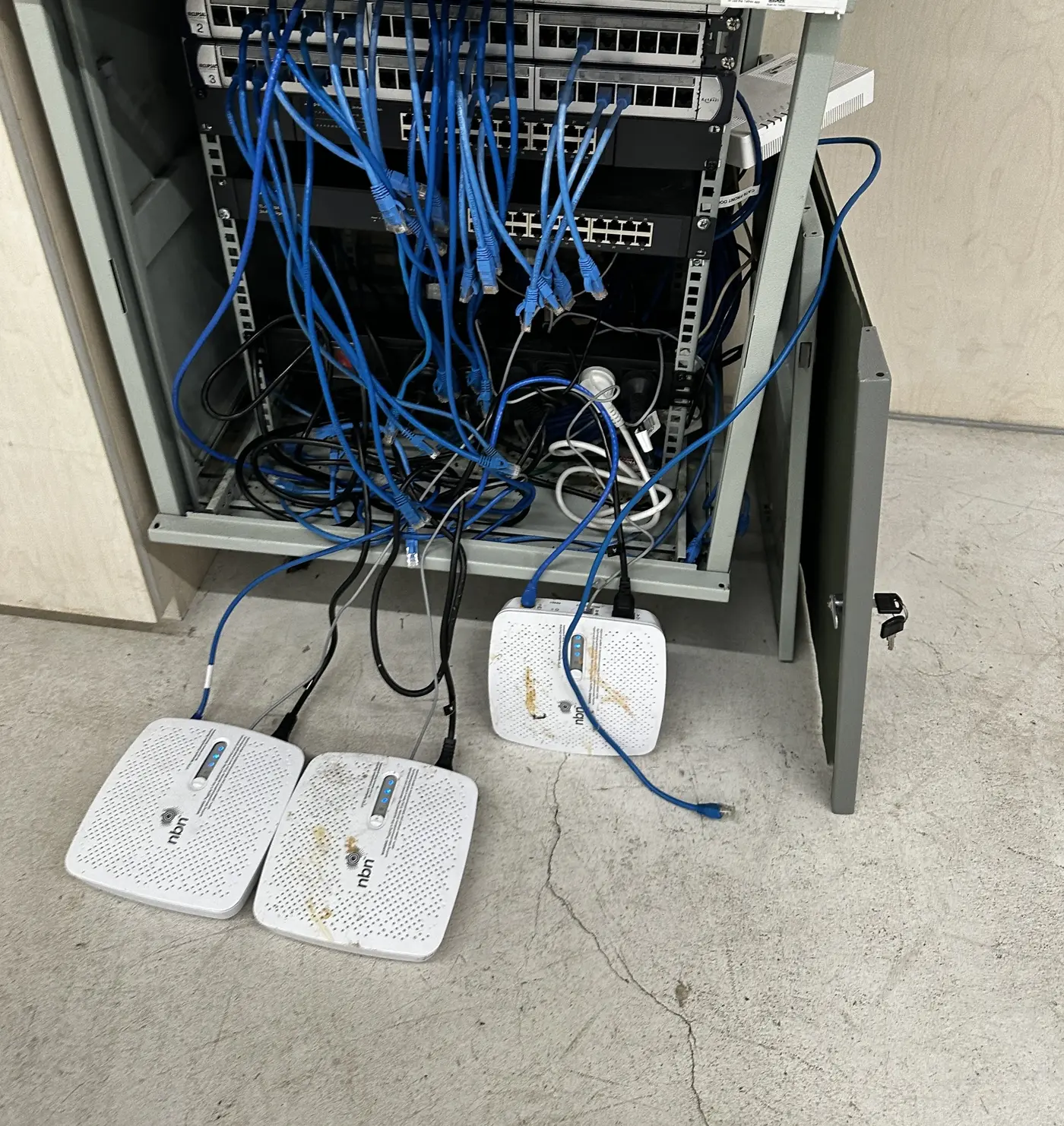
Each stage was completed with the final performance, security and handover in mind.
Tested existing runs, removed obsolete patching and retired old network devices so the active connections could be understood and supported.
IT projects and consultingInstalled a gateway suited to the new 2Gb service, a managed 24-port switch and a high-speed uplink between the core network devices.
Business internet servicesReused tested cabling to mount one access point on the ceiling and another on the wall, covering the office without adding unnecessary cabling.
Network and Wi-Fi upgradesCompleted coverage checks, heatmaps, radio tuning, device mapping and clear documentation explaining connections and recovery steps.
Business IT supportA single flat network would have placed staff computers, visitor devices, connected equipment and surveillance devices in the same logical environment. That may be convenient during a quick installation, but it creates unnecessary exposure and makes future troubleshooting harder.
We created a new UniFi environment with separate networks for corporate devices, guests, IoT equipment and CCTV. The purpose was not simply to create four Wi-Fi names. The design established clearer security boundaries and made it easier to decide which device groups should communicate with business systems and which should only reach the internet or their required services.
The final rules were aligned with the customer’s actual equipment and operations. Segmentation should always be tested after implementation so that required services continue to work without silently reopening access between every network.
Read the office network upgrade planning guideThe existing cabling was tested and reused to place the access points where they could serve the real office layout.
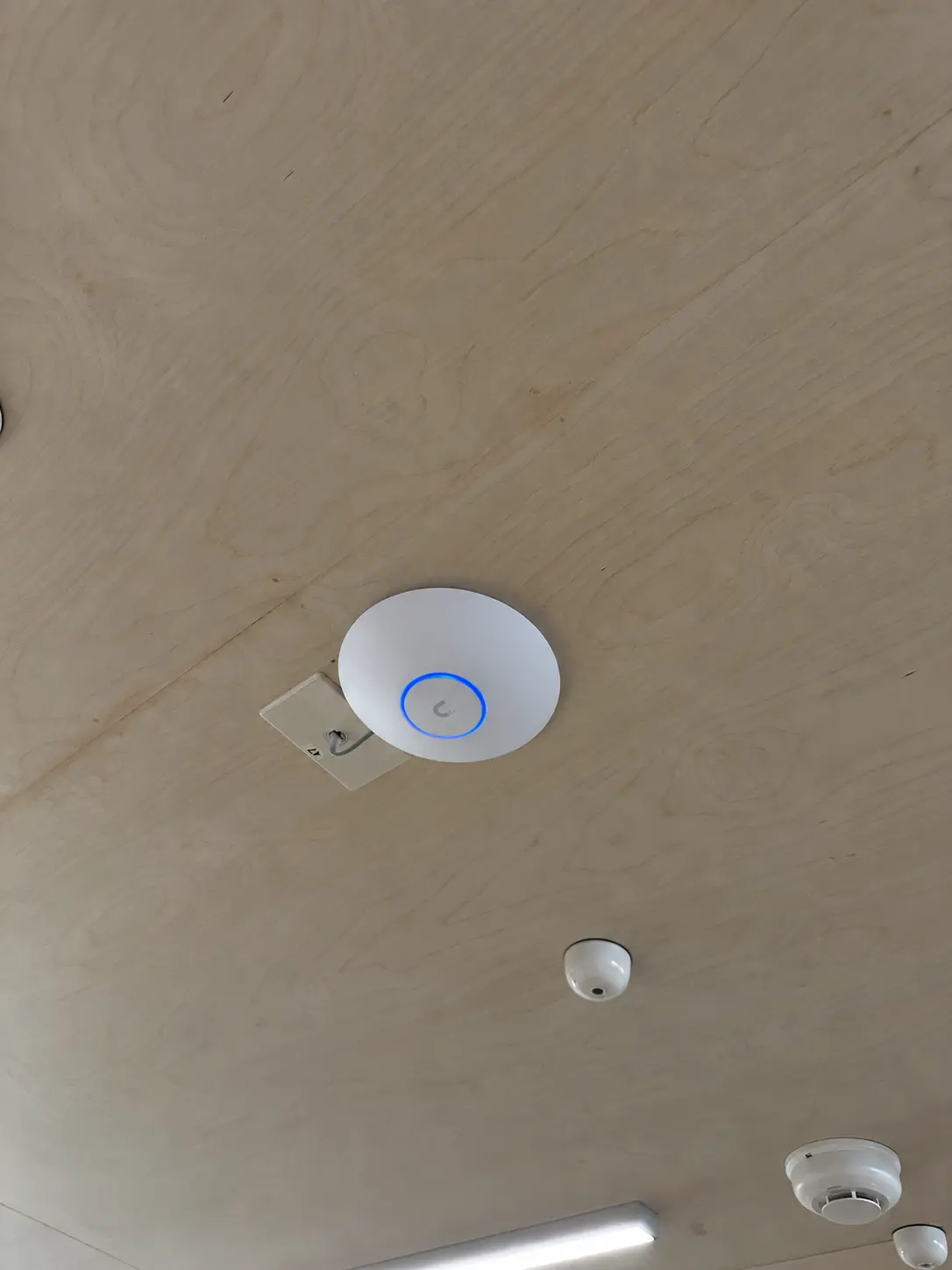
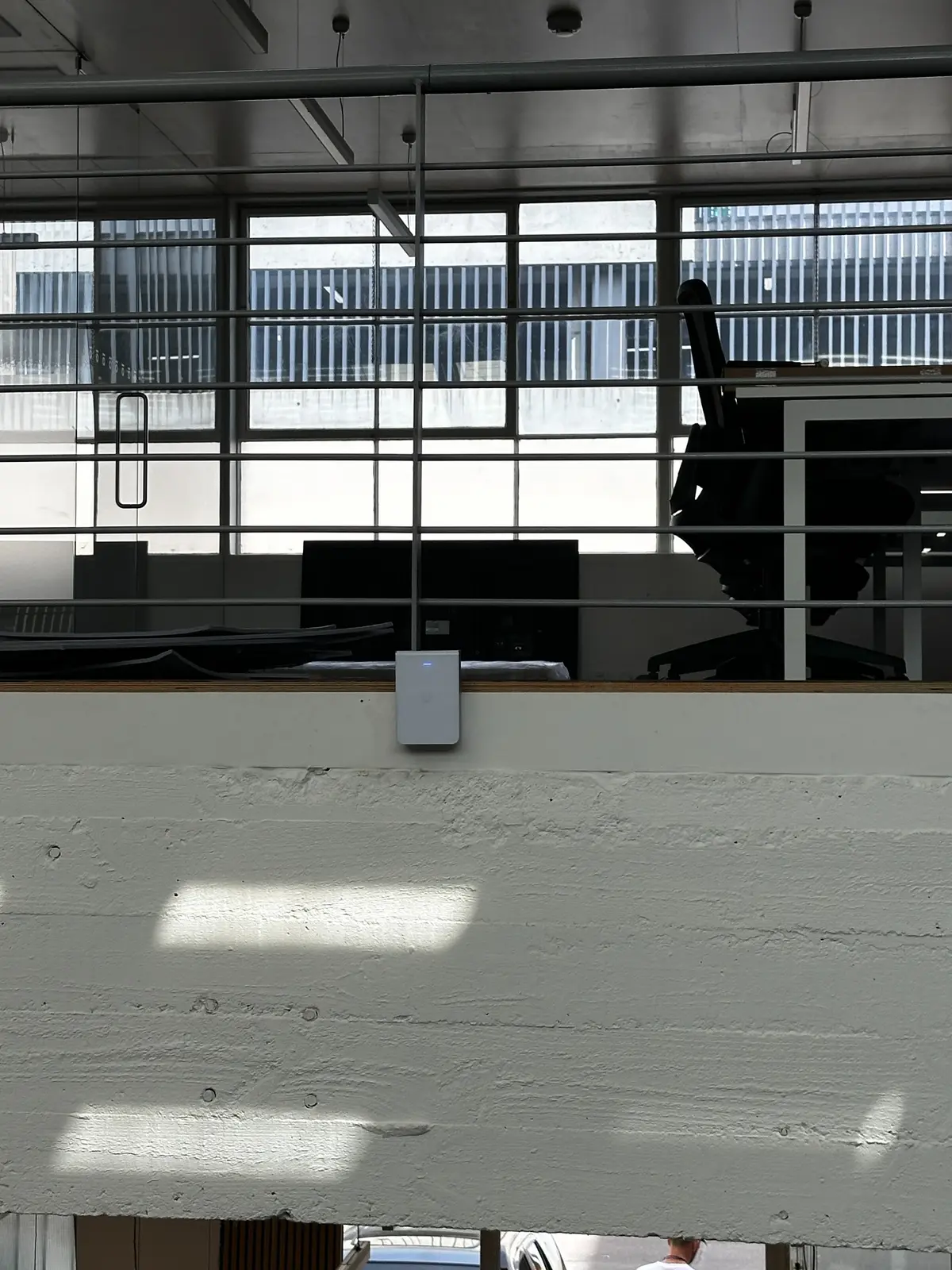
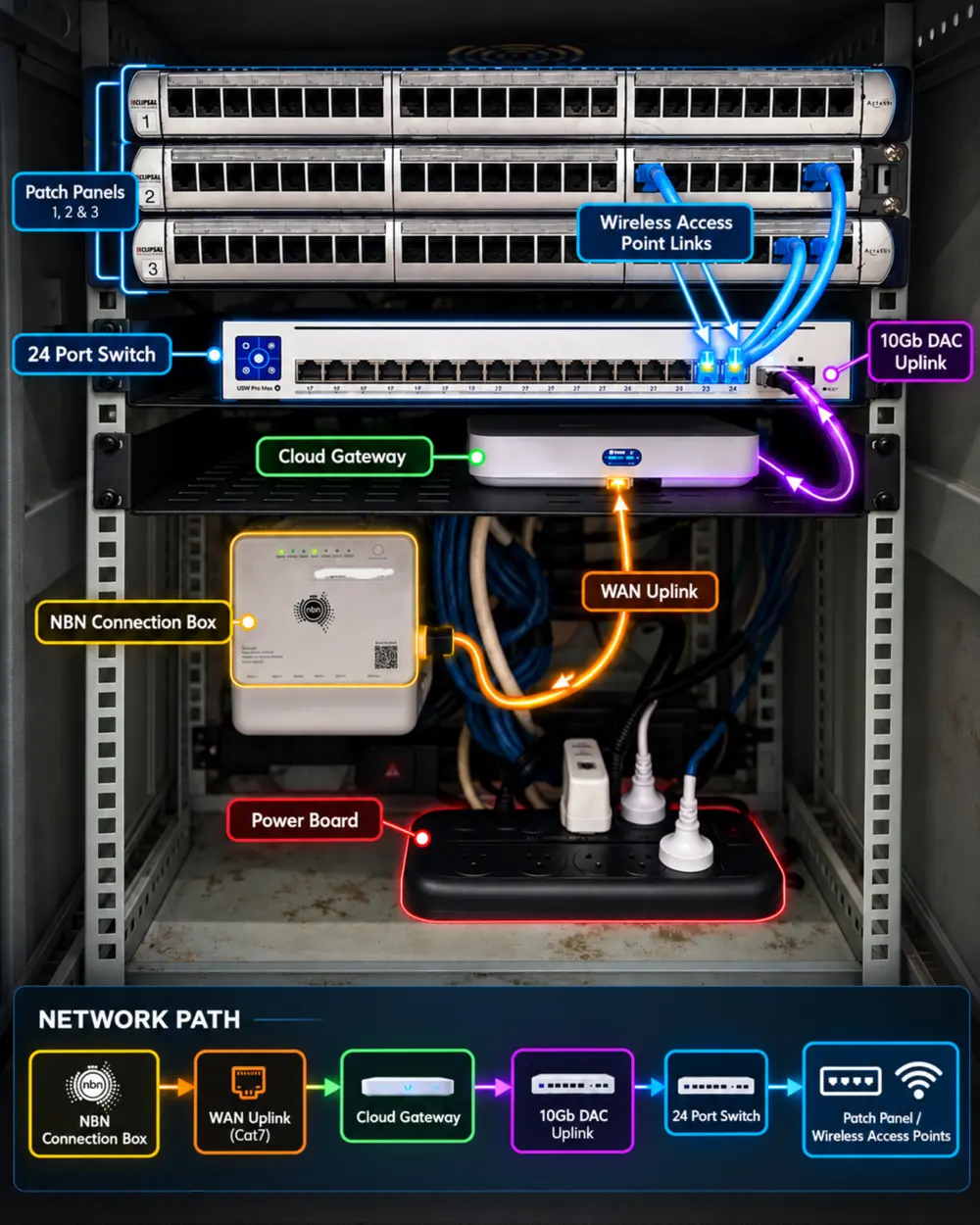
The handover documented the gateway, switch, patch panels, access-point connections, internet path and supporting power. It also explained how devices were connected and the recovery or reset process that would apply if assistance was required later.
Clear documentation reduces guesswork during an outage, prevents live cables from being disconnected accidentally and gives the customer a useful record instead of leaving the design inside a technician’s memory.
The diagram shown here was produced from the actual completed installation. It provides a visual network path from the connection box through the gateway and switch to the office cabling and wireless access points.
After installation, we surveyed the working areas, produced Wi-Fi heatmaps and adjusted the radio settings to account for the neighbouring wireless environment. This allowed the two access points to work as a coordinated system rather than competing with each other at unnecessarily high power.
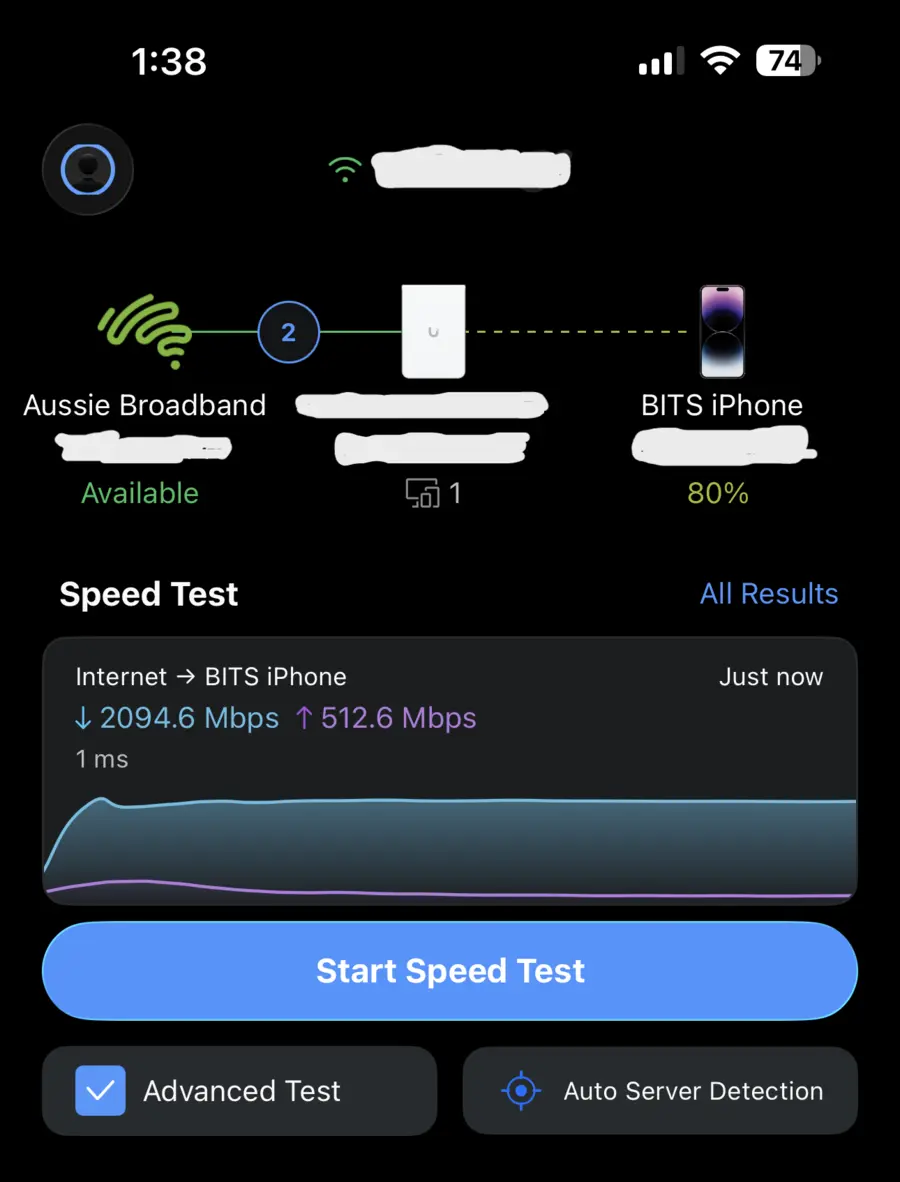
The recorded test reached 2,094.6 Mbps download and 512.6 Mbps upload with 1 ms latency in the test view. A single result does not guarantee that every device will achieve the same number: client hardware, distance, channel conditions and the service being accessed all affect real performance. It does confirm that the completed design could use the new service without the previous network becoming the obvious bottleneck.
More importantly, coverage was checked throughout the places where people would work. A good office network is measured by dependable everyday access, appropriate roaming and predictable behaviour—not one impressive test taken beside an access point.
The Fitzroy customer moved from inherited equipment and uncertain cabling to a documented multi-gig network designed for the way the office would actually operate.
The communications cabinet now has a clear active path through the gateway, switch, patch panels and access points. Staff, guests, connected devices and cameras have appropriate network separation. The wireless design was validated with coverage testing and heatmaps, then tuned to manage the real interference in the building.
Reusing suitable existing cabling helped keep the installation practical, while the new equipment and documentation gave the customer a reliable foundation for the 2Gb service and future growth. The project shows why an office network upgrade should combine internet planning, physical remediation, security, Wi-Fi engineering and handover rather than treating them as unrelated purchases.
BITS Melbourne can assess the site, coordinate the right infrastructure, install the equipment, validate coverage and provide a documented handover.